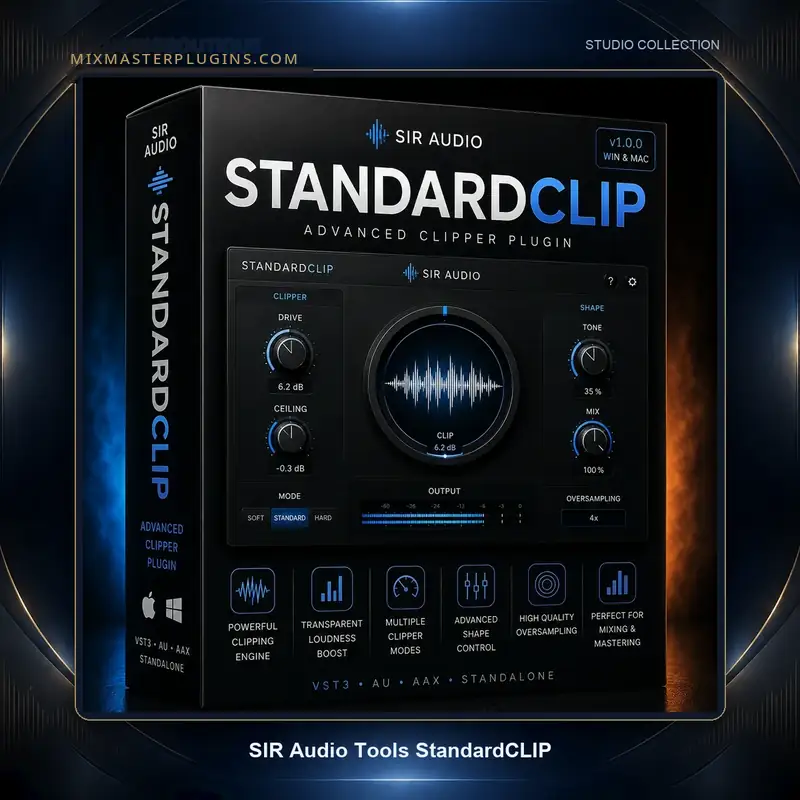
Description
Every clipper is a filter-design problem wearing a dynamics-processor costume. The truncation itself is trivial; the audible result is decided by the oversampling filters around it. Most clippers hide this behind a single “quality” switch. StandardCLIP – developed by Christian Knufinke of SIR Audio Tools and refined over a decade to version 1.6 – exposes it: oversampling factor up to 256x, linear-phase or minimum-phase up/down-sampling, adjustable filter quality and cut-off frequency. For engineers who have wondered why two clippers at identical settings sound different, this is the control surface that answers the question.
MixMasterPlugins offers it at €20.00 instead of €25.00 – 20% off – with your own license key and a secure download link sent to your email.
Tuning the clip, not just setting it
The practical difference shows up in A/B testing. Linear-phase filtering keeps transients time-aligned at the cost of pre-ringing; minimum-phase avoids the pre-ring but shifts phase. Higher oversampling pushes aliasing artifacts further out of the audible band. StandardCLIP lets you audition these trade-offs on your actual material instead of accepting a developer’s compromise. On a dense master, 256x linear-phase with a high cut-off gives you peak removal that reads as pure level. On a drum bus, lower oversampling with minimum-phase filters turns the same plugin into a harmonic generator – the odd harmonics from clipping become the desired color.
What’s inside the box
- Clipper with user-set oversampling up to 256x
- Linear-phase / minimum-phase filter modes, quality and cut-off controls
- Dual documented use: transparent dynamics stage or harmonic generator
- Version 1.6 – a decade of incremental refinement
- VST3, AU, AAX on Mac & Windows
official SIR Audio Tools website
In the mastering chain
StandardCLIP’s natural home is the end of the master chain, ahead of the final limiter – or as the final stage itself when the material only needs peak management. The workflow is disciplined: set the ceiling, increase input until peaks just engage, then tune the oversampling and filter phase while listening at matched loudness. Because the controls are exposed, the settings are repeatable and explainable – you can document exactly why a master clips the way it does, which matters when a client asks.
Tech specs at a glance
- Formats: VST3, AU, AAX (64-bit) – Mac & Windows
- Oversampling: up to 256x, user-selectable
- Internet needed for delivery and authorization
Why engineers buy from MixMasterPlugins
MixMasterPlugins is built for people who finish records. You get hassle-free setup with clear installation steps, fast email delivery of your download link and license key, and support that speaks your language. Deals like this 20% discount on StandardCLIP are exactly what the store is for – check the shop for more, or dig into the Mix & Master Plugins category for dynamics tools that finish your master.
Frequently asked questions
What do I actually get when I buy StandardCLIP here?
The complete plugin, your own license key, and a download link sent to your email – the same full product, at 20% off.
Why would I choose this over my limiter’s built-in clipper?
Control: exposed oversampling and filter-phase parameters let you tune the clipping character to the material instead of accepting a fixed implementation.
Linear-phase or minimum-phase?
Linear-phase for time-aligned transparency on full mixes; minimum-phase when pre-ringing is a concern or when you want the clipping to add character.
Mac and Windows?
Both – VST3, AU and AAX.
Delivery?
By email, typically within minutes of checkout.
The clipper for people who read the manual. At €20, it is essential kit.
Reviews
There are no reviews yet.